Path Locker
A free After Effects script to lock Path properties inside Shape Layers so you can select points on the path you mean to.
Free product downloads
To download freebies you need to join our mailing list:
If you already joined, check your email. You'll need to enable cookies and open the access link in this browser.
Installation
Path Locker can be run as a ScriptUI Panel with a button if you install it like this, but our suggested way is to use a launcher utility like KBar, or a keyboard shortcut.
Usage
The best way to use Path Locker goes something like this:
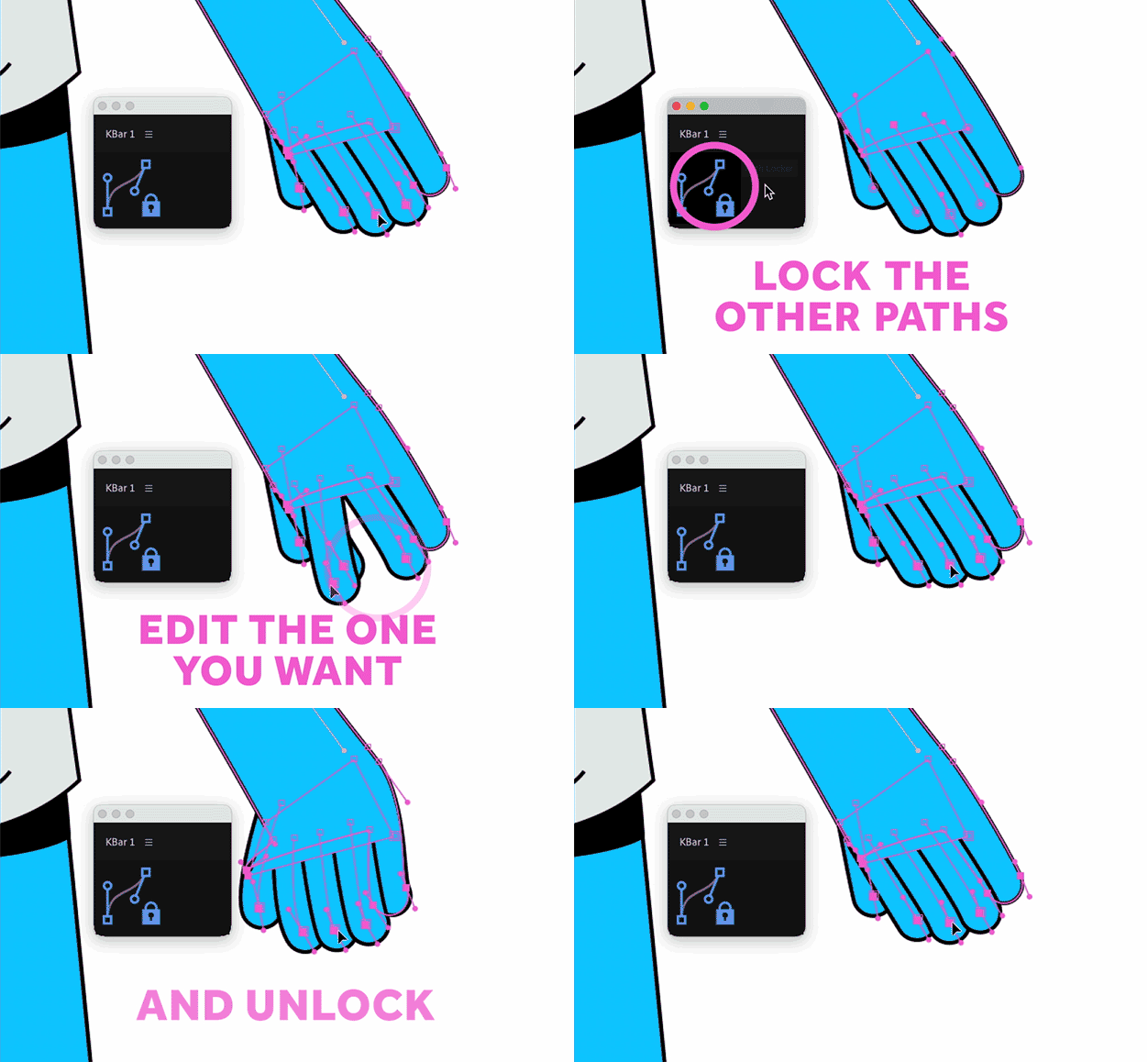
Install it and assign a keyboard shortcut as described here. Select a layer. Hit G to select your Pen tool if it isn't already selected, and hover over the comp panel. All the points of all the paths inside your layer should be visible as little dots. As you hover over a point, the cursor changes from a Pen icon to an arrow. Click on a point on a path you want to edit, and the dots change to squares.
At this point, you can hit SS to reveal your selected Path in the timeline if you want to.
Now, run Path Locker by hitting the keyboard shortcut you set earlier. All the paths that were not selected, have an expression applied to make them un-editable. You can switch back to the Selection Tool (shortcut: V) and continue editing your selected path without accidentally editing other paths.
When you have finished editing, use the same keyboard shortcut again and the locked paths will be unlocked.
Tips
Path Locker locks entire paths. It cannot lock individual points on a single path.
Path Locker only works with Shape Layer paths, not Masks.
Version History
1.0 - December 1st 2022
Initial release